

LUCKY TOWN PLUS is committed to helping you navigate every feature of our platform with clear, step-by-step guides. Whether you need help with deposits, withdrawals, account settings, game access, or personalization, you'll find detailed instructions below. Browse our complete collection of tutorials and click through to each guide for full details.
Recommended Friends – Share QR Code & Copy Link to Invite

How to Invite Friends and Share Your Referral Code
Learn how to recommend friends on LUCKY TOWN PLUS. Step-by-step guide to share QR code, transfer, copy link, and invite others. Start earning rewards by sharing LUCKY TOWN PLUS with your network today.
View Recommend Friends GuideReal-Name Verification – Complete KYC Process
How to Verify Your Identity and Bind Your Bank Account
Complete your Real Name Verification on LUCKY TOWN PLUS with our step-by-step guide. Learn how to add a bank account, submit your verification request, and get approved within 3 working days.
View Real-Name Verification GuideBank Transfer Top Up – Fast and Secure Deposits
How to Deposit Using Maybank, Public Bank, CIMB, and Hong Leong
Learn how to top up using bank transfer on LUCKY TOWN PLUS. Complete step-by-step guide with 9 easy steps. Minimum RM20, maximum RM20,000, fast processing within 10 minutes.
View Bank Transfer Top Up GuideTNG Transfer Top Up – Touch N Go E-Wallet Deposits
How to Deposit Using Touch N Go E-Wallet
Learn how to top up using Touch N Go (TNG) on LUCKY TOWN PLUS. Complete step-by-step guide with 9 easy steps. Minimum RM20, fast processing within 10 minutes.
View TNG Transfer Top Up GuideDuit Now Top Up – UPay and Go Pay Methods
How to Deposit Using Duit Now QR and Transfers
Learn how to top up using Duit Now on LUCKY TOWN PLUS. Two complete guides for UPay Duit Now and Go Pay Duit Now. Minimum deposit RM10, processing within 15 minutes.
View Duit Now Top Up GuideTNG Scan QR Top Up – UPAY and GO PAY QR Methods
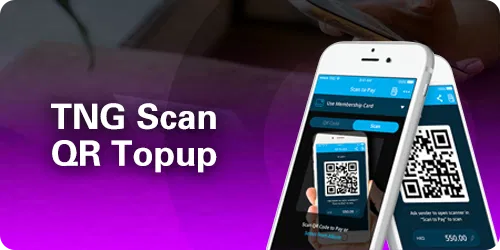
How to Deposit by Scanning QR Code with Touch N Go
Learn how to top up using TNG Scan QR on LUCKY TOWN PLUS. Two complete guides for UPAY TNG and GO PAY TNG. Scan QR code, deposit easily, and get credited within 15 minutes.
View TNG Scan QR Top Up GuideUSDT Top Up – Cryptocurrency Deposits
How to Deposit Using USDT on TRC20 Network
Learn how to top up using USDT on LUCKY TOWN PLUS. Complete step-by-step guide with 6 easy steps. Choose Binance, Huobi, or other platforms. Conversion rate 4.32, processing within 10 minutes.
View USDT Top Up GuideAdd Bank Account – Register Your Withdrawal Account
How to Link Your Bank Account for Withdrawals
Learn how to add a bank account on LUCKY TOWN PLUS. Complete step-by-step guide with 6 easy steps. Select from major Malaysian banks, verify with transaction PIN, and secure your withdrawals.
View Add Bank Account GuideHow To Withdraw – Cash Out Your Winnings
How to Withdraw Funds to Your Bank Account
Learn how to withdraw funds from LUCKY TOWN PLUS. Complete step-by-step guide with 6 easy steps. Minimum withdrawal RM50, maximum RM20,000, processing within 30 minutes.
View How To Withdraw GuideUSDT Withdraw – Cryptocurrency Withdrawals
How to Withdraw USDT to Your Crypto Wallet
Learn how to withdraw USDT from LUCKY TOWN PLUS. Complete step-by-step guide with 5 easy steps. Minimum withdrawal 150 USDT (TRC20), processing within 24 hours.
View USDT Withdraw GuideExchange Currency – MYR to THB Conversion
How to Convert Malaysian Ringgit to Thai Baht
Learn how to exchange currency on LUCKY TOWN PLUS. Complete step-by-step guide for MYR to THB conversion. Easy 3-step process with real-time exchange rates.
View Exchange Currency GuideChange Password – Update Your Login Credentials
How to Change or Recover Your Login Password
Learn how to change your password, recover a forgotten password, or retrieve a forgotten username on LUCKY TOWN PLUS. Complete step-by-step guide with OTP verification and phone number recovery.
View Change Password GuideForgot Transfer Password – Reset Transaction PIN
How to Reset Your 6-Digit Transaction PIN
Learn how to change or recover your transaction PIN on LUCKY TOWN PLUS. Complete step-by-step guide for changing payment PIN or resetting forgotten transfer password with OTP verification.
View Forgot Transfer Password GuideLottery Betting Instructions – Complete 4D Betting Guide

How to Place 4D Lottery Bets on LUCKY TOWN PLUS
Learn how to place 4D lottery bets on LUCKY TOWN PLUS. Complete step-by-step guide with betting types, platform codes (MPTSBKWHE), and cancellation instructions.
View Lottery Betting Guide918KISS Game Description – Access and Play 918KISS

How to Download, Install, and Play 918KISS
Learn how to access, download, install, and play 918KISS on LUCKY TOWN PLUS. Complete step-by-step guide with 6 easy steps. Android download available, automatic fund transfer.
View 918KISS GuideMEGA888 Game Description – Access and Play MEGA888

How to Download, Install, and Play MEGA888
Learn how to access, download, install, and play MEGA888 on LUCKY TOWN PLUS. Complete step-by-step guide with 7 easy steps. Android download available, test accounts provided, and manual login instructions.
View MEGA888 GuideChange App Icon – Customize Your App Appearance
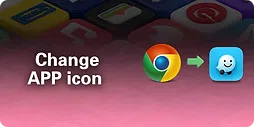
How to Personalize Your LUCKY TOWN PLUS App Icon
Learn how to change your app icon on LUCKY TOWN PLUS. Complete step-by-step guide with 6 easy steps. Choose from multiple icon styles including LUCKY TOWN PLUS, Luckytown, Instagram, Foodpanda, Monday, Grab, Waze, and more.
View Change App Icon GuideWhy LUCKY TOWN PLUS Instruction Guides Are Helpful
People-First Tutorials with Clear Steps
Every LUCKY TOWN PLUS instruction guide is designed with you in mind. We believe in clear, step-by-step explanations that anyone can follow. Whether you're a first-time user or an experienced player, our guides help you navigate every feature with confidence.
Regular Updates and New Guides
LUCKY TOWN PLUS regularly updates existing guides and adds new ones as features are added to the platform. Bookmark this page and check back frequently to stay informed about the latest tutorials.
Frequently Asked Questions About LUCKY TOWN PLUS Instructions
How Do I Find the Right Guide for My Need?
Browse the guides above, each clearly labeled with its purpose. From Recommended Friends to Change App Icon, every feature has its own dedicated H2 heading for easy navigation.
Are These Instructions Available in Other Languages?
Currently, instruction guides are primarily available in English. Some guides may include bilingual content. Check individual guides for language options.
What If I Need Additional Help After Reading a Guide?
If you've followed a guide and still need assistance, contact LUCKY TOWN PLUS customer service through the Helpdesk option in your app or website.
How Often Are Instructions Updated?
Instructions are updated whenever platform features change or new features are added. We strive to keep all guides current and accurate.
Your Complete Resource for LUCKY TOWN PLUS
This instruction hub contains everything you need to master the LUCKY TOWN PLUS platform. From your first deposit to your first withdrawal, from setting up your account to customizing your app icon, every step is covered. LUCKY TOWN PLUS is committed to providing not just great games, but the support and guidance you need to enjoy them fully.
Explore All LUCKY TOWN PLUS Instruction Guides Today
Ready to master every feature of LUCKY TOWN PLUS? Browse our complete collection of step-by-step guides above. From deposits and withdrawals to games and personalization, we've got you covered. Log in now to start exploring – or sign up in minutes using your Malaysia phone number if you're not yet a member.
View All LUCKY TOWN PLUS Instructions