
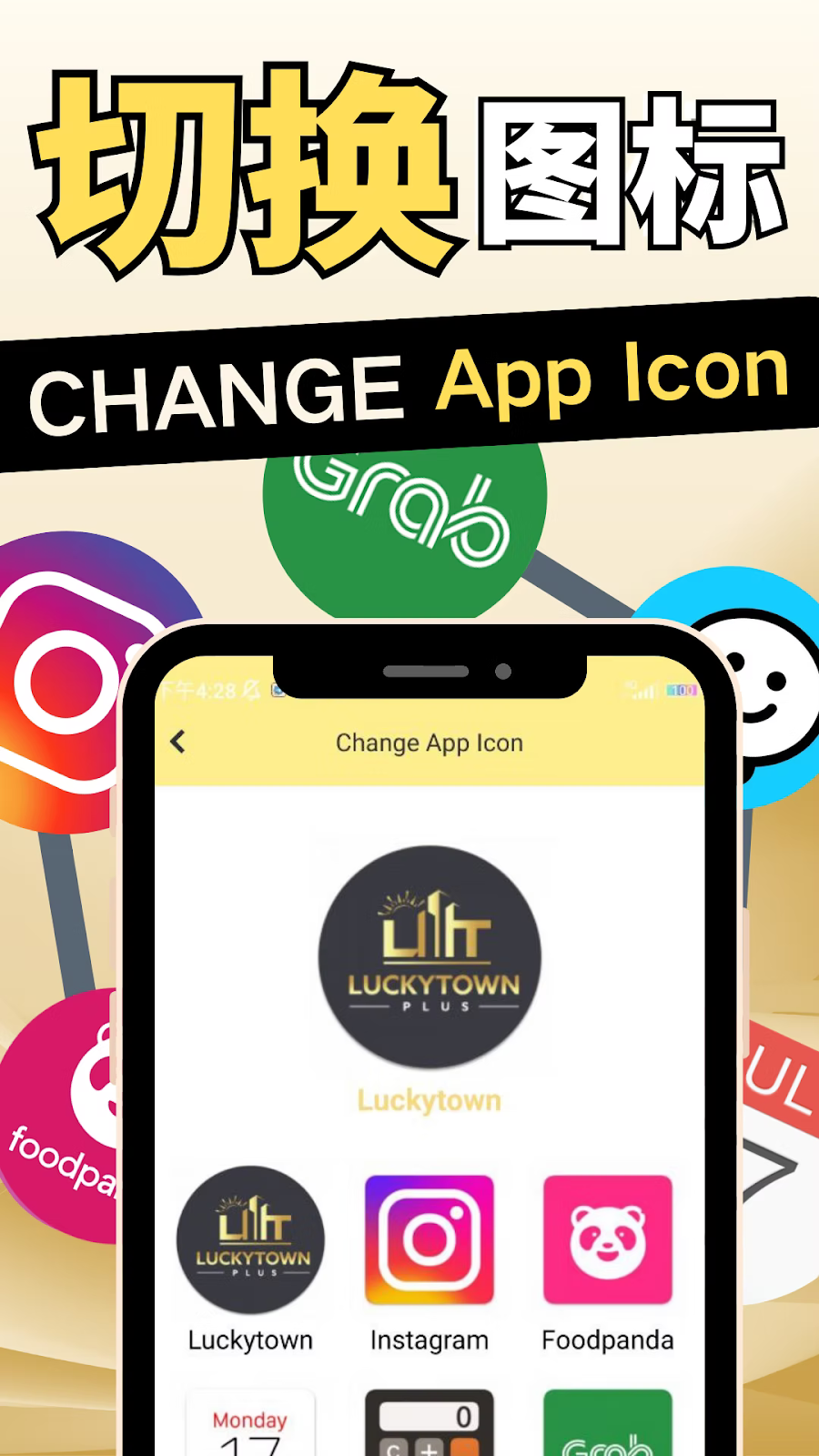
LUCKY TOWN PLUS offers a unique personalization feature that allows you to change your app icon to match your style. Whether you prefer the classic LUCKY TOWN PLUS logo, a minimalist Luckytown design, or fun icons inspired by popular apps like Instagram, Foodpanda, Monday, Grab, and Waze, you can easily switch between them. LUCKY TOWN PLUS gives you the freedom to make your app truly yours.
Step-by-Step Guide to Change Your App Icon

Step 1: Access the LUCKY TOWN PLUS App
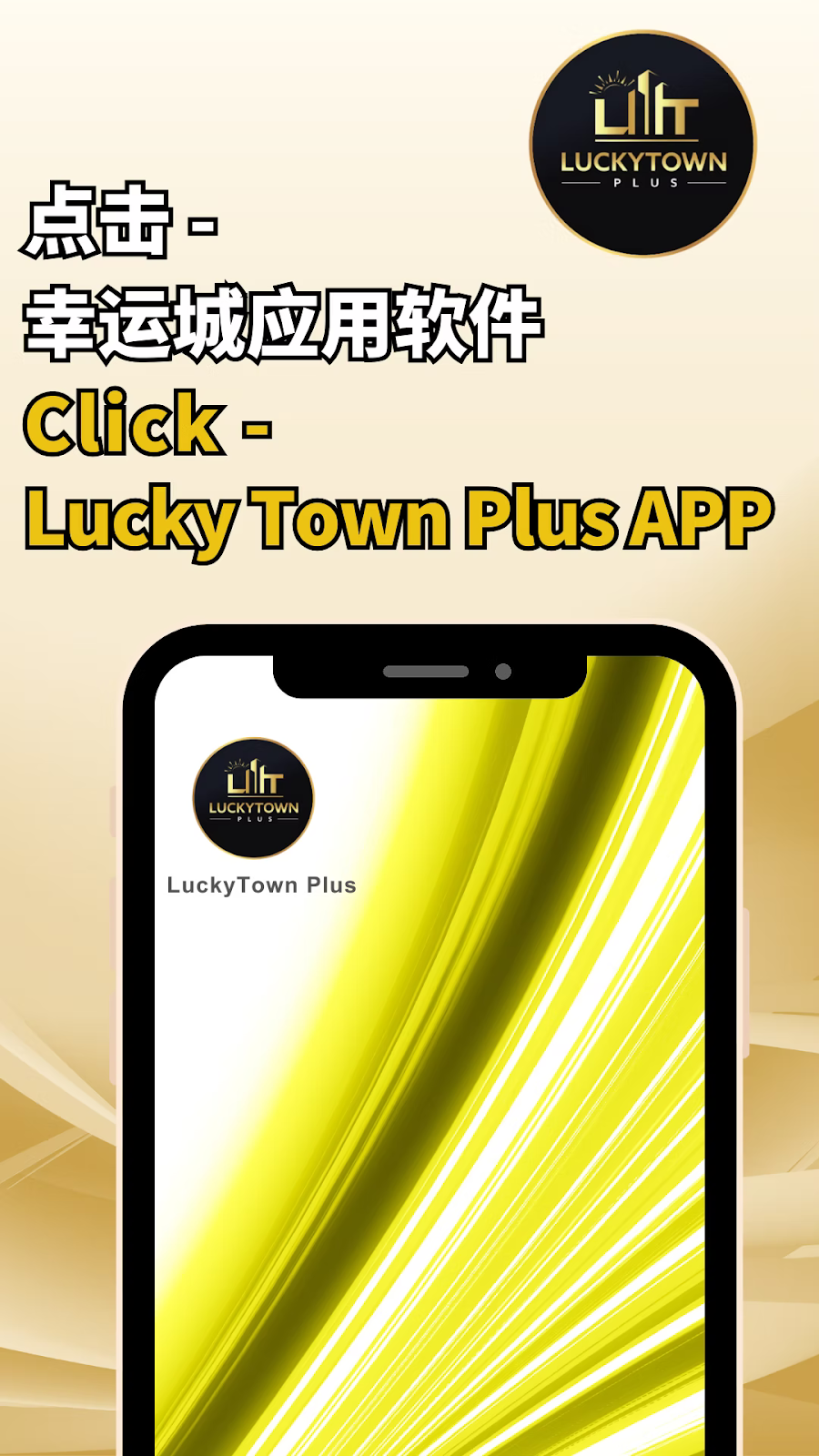
Open the LUCKY TOWN PLUS app on your mobile device. You will see the current app icon on your home screen. The guide begins from within the app itself.
Step 2: Click the LUCKY TOWN PLUS Logo/Icon
From the main page of the app, locate and click the LUCKY TOWN PLUS logo or icon(shown as "点击-幸运城应用软件 Click - Lucky Town Plus APP" in the instructions). This will take you to the main settings area.
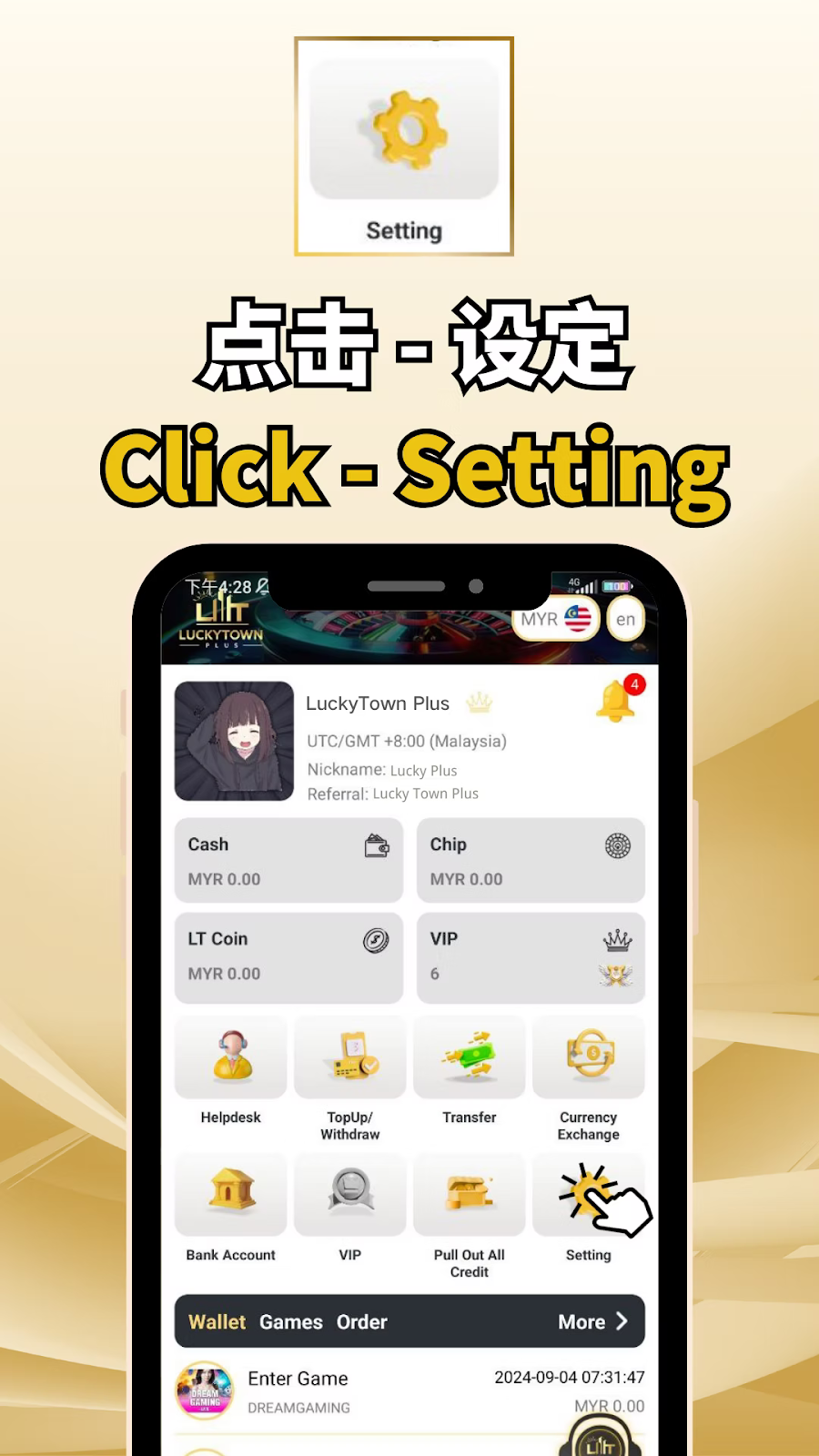
Step 3: Access Settings (Setting)
After clicking the logo, you will see various options. Look for and click on "Setting" (设定). This opens the full settings menu where you can customize your app experience.
Settings Menu Overview
The Settings screen displays useful account information including:
- LUCKY TOWN PLUS – App name
- UTC/GMT +8:00 (Malaysia) – Your time zone
- Nickname: Lucky Plus – Your current nickname
- Referral: Lucky Town Plus – Referral information
- Cash: MYR 0.00 – Current cash balance
- Chip: MYR 0.00 – Chip balance
- LT Coin: MYR 0.00 – Loyalty coin balance
- VIP: 6 – Your VIP level
Additional Menu Options
The settings menu also provides access to:
- Helpdesk – Customer support
- TopUp/Withdraw – Financial transactions
- Transfer – Fund transfers
- Currency Exchange – MYR/THB conversion
- Bank Account – Bank management
- VIP – VIP program details
- Pull Out All Credit – Withdraw all funds
Step 4: Select "Change App Icon"
Scroll through the settings menu until you find "Change App Icon" (更改应用程序图标). Click on this option to access the icon customization screen.
Location in Menu
The Change App Icon option is typically located alongside other customization features such as:
- Switch
- Pull Out All Credit
- Google Authentication
- Real Name Verification
- English (language selection)
- About Phone
- About
- Change App Icon
- Time Zone (UST/GMT+8:00 Asia/)
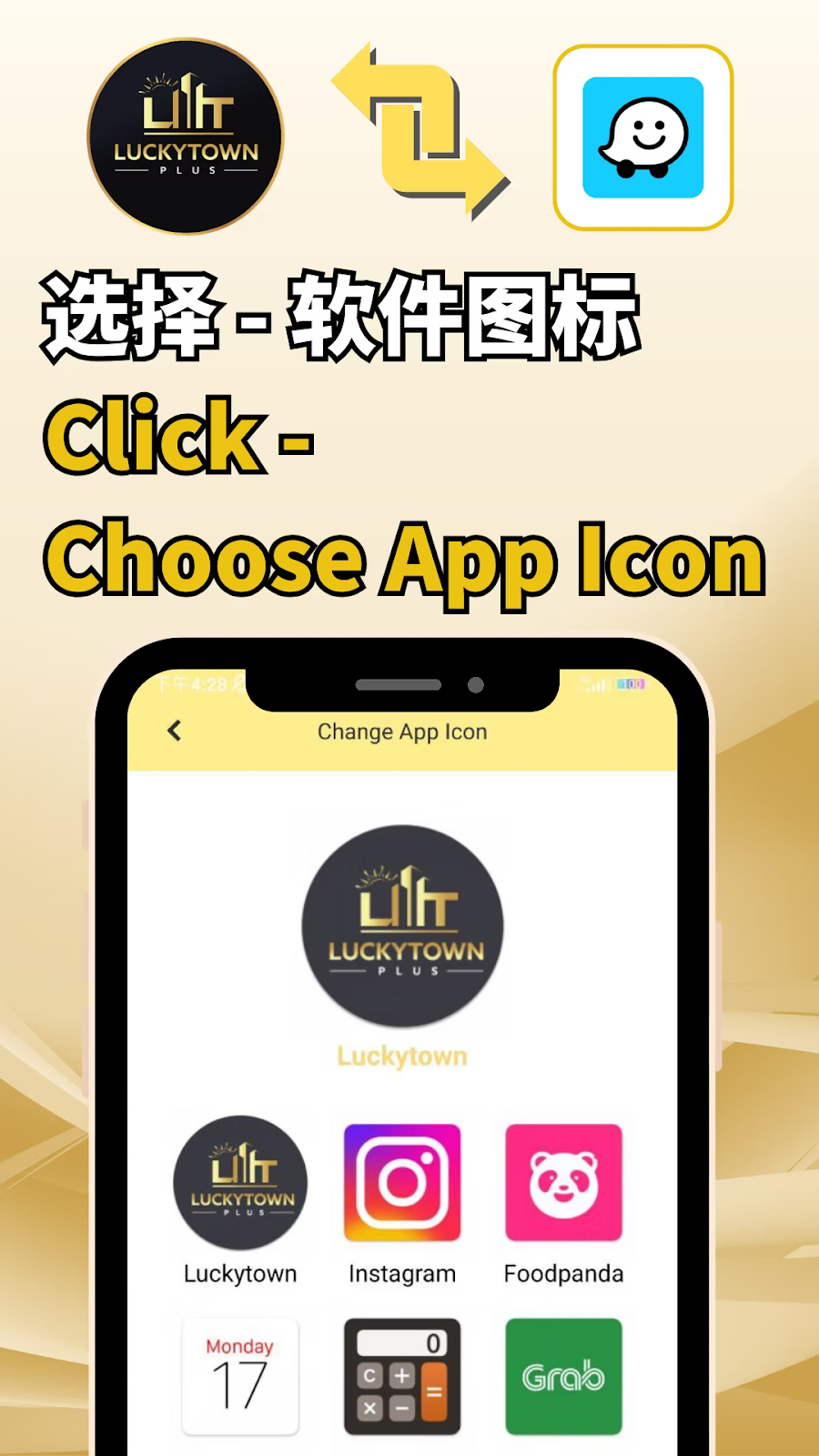
Step 5: Choose Your Preferred App Icon
On the "Change App Icon" screen, you will see a selection of available icons. Click on "Choose App Icon" (选择-软件图标) to browse your options.
Available Icon Options
You can choose from a variety of icon designs including:
- LUCKY TOWN PLUS – Standard logo design
- Luckytown – Alternative text-based design
- LUCKY TOWN PLUS (alternate) – Different color or style variation
- Luckytown (alternate) – Another Luckytown variation
- Instagram – Icon inspired by Instagram style
- Foodpanda – Icon inspired by Foodpanda design
- Monday – Icon inspired by Monday.comstyle
- Grab – Icon inspired by Grab design (shown in later steps)
- Waze – Icon inspired by Waze navigation app (shown in success screen)
- Grub – Alternative food delivery style icon
Select Your Icon
Browse through the available options and tap on the icon you wish to use. The selected icon will be highlighted to indicate your choice.
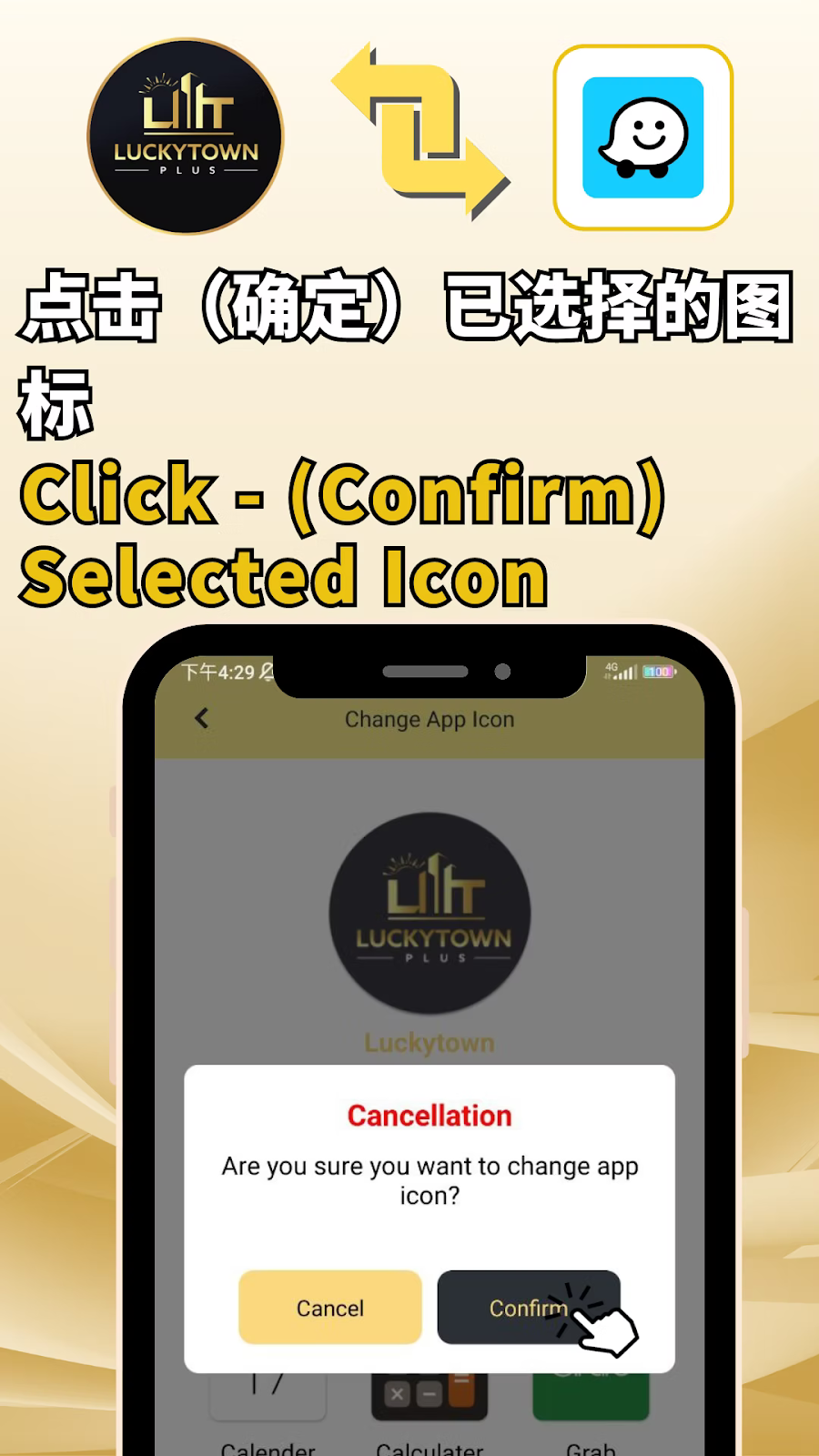
Step 6: Confirm Your Selection
After selecting your preferred icon, you will see a confirmation dialog box:
Confirmation Prompt
The screen will display:
- The selected icon preview
- Message: "Are you sure you want to change app icon?"
- Cancel button – To cancel and keep current icon
- Confirm button – To apply the new icon
Complete the Change
Click "Confirm" (确定) to apply your new app icon. The system will process your request and update the icon on your device's home screen.
Success Confirmation
After confirmation, you will see a success message:
"切换软件图标成功 Switch APP Icon Successfully" – This confirms your app icon has been changed.
View Your New Icon
Return to your device's home screen to see your new LUCKY TOWN PLUS app icon with your chosen design.
Available App Icon Options
Complete Icon Gallery
LUCKY TOWN PLUS offers a diverse range of app icon styles to suit different preferences:
LUCKY TOWN PLUS Branded Icons
- LUCKY TOWN PLUS – Classic logo with full branding
- Luckytown – Simplified text-based design
- LUCKY TOWN PLUS (alternate) – Variation with different colors or layout
- Luckytown (alternate) – Another Luckytown variation
Popular App Inspired Icons
- Instagram – Camera/gradient style inspired by Instagram
- Foodpanda – Pink/panda inspired by Foodpanda delivery app
- Monday – Colorful design inspired by Monday.com
- Grab – Green/white inspired by Grab superapp
- Waze – Blue/yellow inspired by Waze navigation
- Grub – Food delivery style icon
Important Notes for Changing App Icon
Device Compatibility
The app icon change feature is available on both Android and iOS devices. The new icon will appear on your home screen immediately after confirmation.
No Impact on Functionality
Changing your app icon is purely cosmetic and does not affect app functionality, your account, balances, or game access. All features work exactly the same regardless of which icon you choose.
Reverting Changes
You can change your app icon as many times as you like. Simply follow the same steps to select a different icon whenever you want a fresh look.
Icon Availability
The selection of available icons may be updated over time. Check back periodically to see if new icon designs have been added.
Frequently Asked Questions About Changing App Icon
Will Changing the Icon Affect My Account?
No. Changing your app icon is purely visual and has no effect on your account, balance, game access, or any other functionality.
Can I Change the Icon Back to the Original?
Yes. Simply follow the same steps and select the original LUCKY TOWN PLUS icon from the options.
How Many Icons Can I Choose From?
Based on the images, there are at least 8-10 icon options including LUCKY TOWN PLUS variations, Luckytown, Instagram, Foodpanda, Monday, Grab, Waze, and Grub styles.
Will the Icon Change on All My Devices?
The icon change applies only to the device on which you make the change. If you use LUCKY TOWN PLUS on multiple devices, you can customize each device independently.
Is This Feature Free?
Yes, changing your app icon is a free personalization feature available to all LUCKY TOWN PLUS members.
What If I Don't See the Change App Icon Option?
Ensure your app is updated to the latest version. If the option is still missing, contact LUCKY TOWN PLUS customer service for assistance.
Why Personalize Your App Icon on LUCKY TOWN PLUS?
LUCKY TOWN PLUS goes beyond standard gaming platforms by offering personalization features that let you express your style. With a wide selection of icons – from classic LUCKY TOWN PLUS branding to fun designs inspired by popular apps – you can make your app truly unique. The simple 6-step process makes it easy to switch whenever you want a fresh look. LUCKY TOWN PLUS is committed to providing not just great games, but a personalized experience that feels like your own.
Personalize Your LUCKY TOWN PLUS App Today
Ready to give your app a fresh new look? Follow our 6-step guide to change your app icon. Choose from LUCKY TOWN PLUS, Luckytown, Instagram, Foodpanda, Monday, Grab, Waze, and more. Log in now to customize your icon – or sign up in minutes using your Malaysia phone number if you're not yet a member.
Change App Icon Now